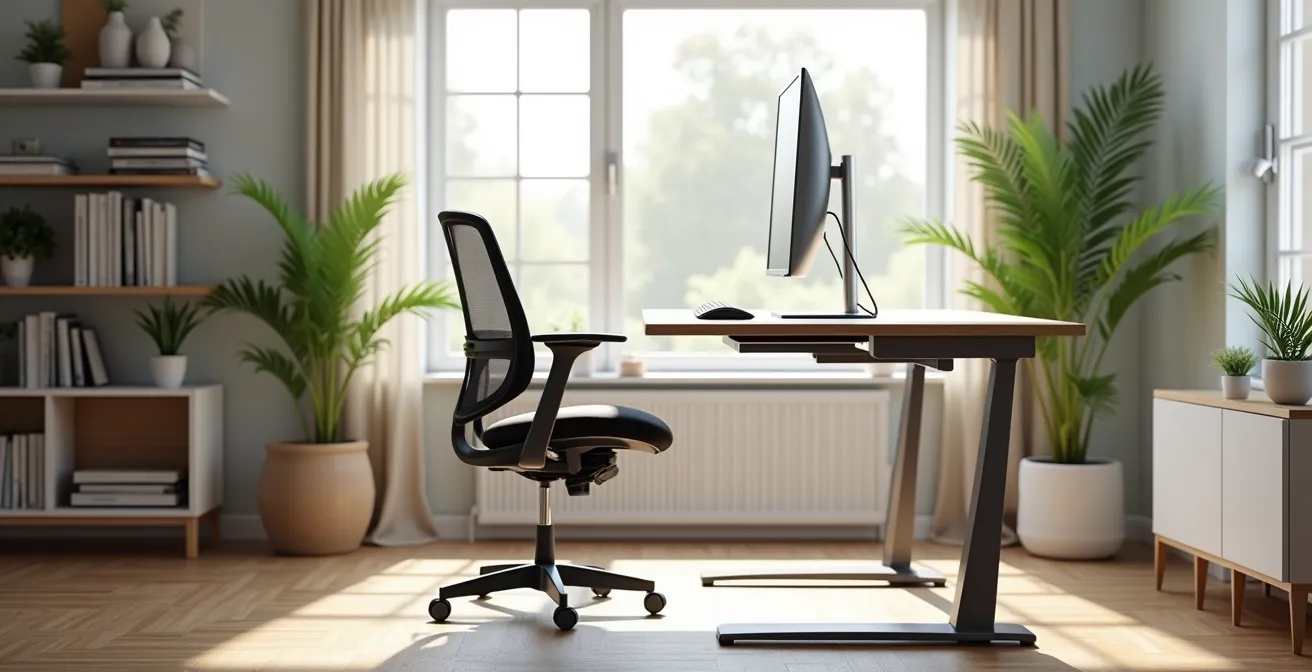
Buying an expensive chair or standing desk won’t fix your back pain if you’re still making fundamental postural mistakes.
- Your body follows a “postural cascade failure”: poor lower back support on a sofa directly causes neck strain.
- True ergonomic chairs encourage “active sitting” and micro-movements, unlike gaming chairs that force passive, rigid bracing.
Recommendation: Your goal isn’t just comfort, but to create a biomechanically neutral environment that prevents long-term joint and spine damage.
The shift to remote work promised flexibility, but for many, it delivered chronic aches and stiffness. You’ve likely heard the standard advice: “buy a better chair,” “take more breaks.” Yet, the neck strain, lower back pain, and persistent headaches remain. This is because most home office setups, even those with expensive equipment, are rife with hidden biomechanical hazards that common advice fails to address. The problem isn’t just a lack of comfort; it’s a series of postural errors that create a domino effect of physical stress throughout your body.
The reality is that your body is a linked system. A “comfy” sofa that lets your pelvis tilt backward forces your head to jut forward to see the screen, creating a postural cascade failure that overloads your neck. A monitor that’s too low is not just a minor inconvenience; it’s a direct cause of cervical spine compression. Treating these issues requires moving beyond generic tips and adopting the corrective framework of an occupational therapist.
This guide will deconstruct the most common home office mistakes from a biomechanical perspective. We will not just tell you *what* to change, but explain *why* these changes are critical for your long-term spinal health. We’ll analyze your chair, screen position, and even your lighting to reveal the sources of your pain and provide a clear, corrective protocol to build a truly pain-free and sustainable workspace.
This article provides a detailed roadmap to transform your workspace from a source of pain into a foundation for health. Below is a summary of the key areas we will correct to protect your spine and improve your focus.
Summary: A Corrective Guide to Home Office Ergonomics
- Why Your ‘Comfy’ Sofa Is Destroying Your Lower Back?
- How to Position Your Screen to Stop Neck Strain?
- Gaming Chair vs Ergonomic Office Chair: Which Is Better for 8 Hours?
- The Monitor Glare That Causes Chronic Headaches
- Optimizing Workflow: The Standing Desk Ratio You Should Follow
- Why Kitchen Tables Are Ruining Your Child’s Posture and Focus?
- The Squat Mistake That Destroys Knees Over Time
- How to Build Muscle Mass After 40 With Minimal Joint Impact?
Why Your ‘Comfy’ Sofa Is Destroying Your Lower Back?
The allure of working from a soft, comfortable sofa is a dangerous trap for your spine. What feels relaxing for a few minutes becomes a source of significant biomechanical load when sustained for hours. Unlike a proper office chair, a sofa lacks any form of lumbar support. As you sit, your pelvis naturally tilts backward, forcing your lumbar spine (lower back) to round into an unhealthy “C” shape. This position puts immense pressure on your vertebral discs and weakens your core musculature.
This poor foundation triggers a “postural cascade failure.” To compensate for the slouched lower back and keep your eyes level with your laptop, your upper back hunches forward, and your head juts out. This forward head posture dramatically increases the strain on your neck and shoulders. The temporary comfort of the sofa is traded for long-term damage to your entire spinal column, often manifesting as lower back pain, neck stiffness, and tension headaches.
While the best advice is to avoid working from the sofa entirely, if it’s unavoidable for short periods, a harm-reduction approach is necessary. You must artificially create the support your sofa lacks. Use a firm cushion or a rolled-up towel to place in the curve of your lower back. This helps maintain a neutral spinal curve. Additionally, use a lap desk to raise your screen and prevent your neck from flexing downward. These are temporary fixes, not a sustainable solution.
How to Position Your Screen to Stop Neck Strain?
If you primarily work on a laptop without an external monitor, you are putting your neck at significant risk. In fact, studies show that 82% of laptop users report musculoskeletal symptoms compared to desktop users, largely because the screen and keyboard are fixed together, forcing a downward gaze. This consistent forward head tilt is one of the most common and damaging postural habits in a home office.
For every inch your head moves forward from a neutral position, it adds approximately 10 pounds of pressure to your cervical spine. This “forward head posture” overworks the muscles in your neck and upper back, leading to chronic strain, stiffness, and headaches. The solution is non-negotiable: you must decouple your screen from your keyboard and position it correctly. Your monitor should be positioned directly in front of you, not off to one side, which forces neck rotation.

As the illustration above demonstrates, the critical rule is to place the screen at a height where the top of the monitor is at or just below eye level. As emphasized by experts at the Cleveland Clinic, you should never have to tilt your head up or down to view your work. Use a monitor stand, a stack of sturdy books, or a dedicated laptop stand to achieve this height. This single adjustment can immediately offload the cervical spine and begin to reverse the damage of chronic neck strain.
Gaming Chair vs Ergonomic Office Chair: Which Is Better for 8 Hours?
The choice of a chair is fundamental, but the market is flooded with options that prioritize aesthetics over biomechanics. The debate between gaming chairs and true ergonomic office chairs highlights a critical difference in design philosophy. While both claim to offer support, only one is built for sustained, healthy work. As Dr. Andrew Bang of the Cleveland Clinic notes, “Most standard computer chairs have built in lumbar support and the ability to change your height, which is great for customizing your workstation.” This customization is where the two types diverge dramatically.
A gaming chair, inspired by racing seats, is built for passive bracing. Its bucket seat and fixed “winged” back are designed to hold a person in a static position against G-forces. For office work, this design is restrictive. It locks your shoulders and back into one posture, preventing the small, subconscious adjustments known as micro-movements that are vital for spinal health. In contrast, a true ergonomic chair is designed for active sitting. It moves with you, providing dynamic support that encourages subtle shifts in posture, which promotes blood flow and reduces static muscle fatigue.
| Feature | Gaming Chair | Ergonomic Office Chair |
|---|---|---|
| Design Philosophy | Passive bracing from racing seats | Active sitting with micro-movements |
| Back Support | Fixed winged design restricts shoulders | Adjustable lumbar support |
| Materials | Non-breathable PU leather | Breathable mesh fabrics |
| Head Support | Fixed head pillow promotes forward posture | Optional adjustable headrest |
| Long-term Comfort | Causes restlessness after 2-3 hours | Designed for 8+ hour workdays |
As the comparison shows, features like adjustable lumbar depth, seat pan depth, and dynamic backrests are hallmarks of an ergonomic chair. They allow you to fit the chair to your body, not force your body to fit the chair. For an 8-hour workday, the choice is clear: a chair that promotes movement and breathability will always outperform one designed for static, restrictive support.
The Monitor Glare That Causes Chronic Headaches
Ergonomics extends beyond your posture; it includes your sensory environment. Poor lighting is a major contributor to a condition known as Computer Vision Syndrome (CVS), with symptoms including eye strain, dryness, blurred vision, and chronic headaches. A primary cause is monitor glare, which forces your eyes to work harder to distinguish content on the screen. This glare can come from an overhead light fixture or a window positioned directly behind you or behind your screen.
Many people are familiar with the 20-20-20 rule (look at something 20 feet away for 20 seconds every 20 minutes) to combat eye strain. While helpful, it only addresses symptoms, not the root cause. A corrective approach involves redesigning your lighting environment. The goal is to have balanced, indirect light. Your desk should ideally be positioned perpendicular to a window, not directly in front of or behind it. This allows you to benefit from natural light without it shining into your eyes or reflecting off your screen.

To eliminate glare and create a comfortable visual field, adopt the “Light Sandwich Method.” This involves layering different types of light to achieve balance. Avoid using a single, harsh overhead light. Instead, use soft ambient light behind you and a focused task lamp to illuminate documents, ensuring the lamp itself doesn’t shine on your screen. This creates a workspace where your eyes can relax, significantly reducing the strain that leads to headaches and fatigue.
Optimizing Workflow: The Standing Desk Ratio You Should Follow
The standing desk has been hailed as a panacea for the sedentary office, and for good reason. From a biomechanical standpoint, sitting is incredibly stressful for the spine. Studies have shown that pressure within lumbar discs increases by approximately 30% when seated compared to standing. Standing allows your spine to maintain its natural “S” curve and engages the stabilizing muscles in your legs and core. However, simply buying a standing desk is not the solution; in fact, standing for eight hours straight can lead to its own set of problems, like foot pain and venous pooling.
The key to leveraging a standing desk is not replacement, but rotation. The goal is dynamic movement, not a new static posture. A clinically effective approach is to follow a structured sit-stand-move protocol. This ensures you are regularly changing positions, promoting blood flow, and giving different muscle groups a chance to rest and engage. Standing for short, frequent periods is far more beneficial than standing for one long block of time.
An effective protocol is essential for long-term adherence and benefit. Instead of guessing when to switch, follow a timed schedule that becomes a subconscious part of your workflow. This structure transforms the standing desk from a novelty into a powerful therapeutic tool.
Your Action Plan: The 40-15-5 Sit-Stand-Move Protocol
- Sit (40 minutes): Work for 40 minutes in your ergonomic chair, ensuring your posture is correct with feet flat on the floor and your back supported.
- Stand (15 minutes): Raise your desk to the proper standing height (elbows at a 90-degree angle) and work for 15 minutes. Use an anti-fatigue mat.
- Move (5 minutes): Step away from your desk for 5 minutes. Walk around, do some gentle stretches, or get a glass of water to facilitate spinal decompression.
- Support Your Stance: Wear supportive shoes, even at home, and actively engage your glutes by shifting your weight between your feet while standing.
- Repeat the Cycle: Continue this 60-minute cycle throughout your workday to prevent the negative effects of static posture.
Why Kitchen Tables Are Ruining Your Child’s Posture and Focus?
The ergonomic principles that apply to adults are even more critical for children, whose musculoskeletal systems are still developing. When a child does homework at an adult-sized kitchen table, they are placed in a severely compromised posture. With their feet dangling, they lack a stable base of support, causing them to slide forward and slouch. The table height forces their shoulders to hunch up towards their ears to reach the surface, creating significant tension in the neck and upper back.
This poor posture has consequences beyond physical strain. The constant muscle engagement required to hold an awkward position, combined with the lack of stability, creates physical “noise” that directly competes for cognitive resources. A child who is physically uncomfortable and unstable cannot fully dedicate their attention to learning. This can manifest as fidgeting, loss of focus, and frustration, which are often mistaken for behavioral issues when they are, in fact, symptoms of a poor ergonomic environment.
While a dedicated, adjustable child’s desk is ideal, you can make immediate and effective modifications to a standard kitchen chair and table. The goal is to bring the floor up to the child and the work surface down. A stack of sturdy books or a small box can serve as a footrest, creating the 90-degree knee angle needed for stability. Placing a firm cushion on the seat can raise them to an appropriate height relative to the table, allowing their elbows to rest at a 90-degree angle. These small fixes can make a profound difference in a child’s ability to sit comfortably and concentrate effectively.
The Squat Mistake That Destroys Knees Over Time
The negative effects of a poor home office setup extend far beyond the workday. The deconditioning that occurs from sitting for eight hours a day creates profound weaknesses and imbalances that make you more susceptible to injury during physical activity. The most common squat mistake that leads to knee pain isn’t necessarily poor form during the exercise itself; it’s performing the squat with a body that has been “shut off” by your desk chair.
Prolonged sitting shortens your hip flexors and deactivates your gluteal muscles, which are the primary powerhouses for a healthy squat. When you then try to perform a squat, your body is forced to compensate. It relies heavily on the quadriceps and puts excessive shear force on the knee joint because the powerful glute and hamstring muscles aren’t firing properly. This compensation pattern, repeated over time, is a direct path to chronic knee pain, patellar tendonitis, and other overuse injuries.
The first step to a safer squat is re-engaging the muscles that your office chair has put to sleep. As experts from the Johns Hopkins Physical Therapy Department explain, this requires targeted intervention:
Core muscles support your back and neck. A physical therapist can help you reengage muscles that are shut off when you’re in one position for an extended time
Before you even think about adding weight to a barbell, you must focus on glute activation exercises (like bridges and clamshells) and hip flexor stretches. This “pre-habilitation” work corrects the imbalances caused by sitting, allowing you to perform a squat using the correct muscle groups and protecting your knees from excessive strain.
Key Takeaways
- Your posture is a cascade; a bad seat position directly leads to neck pain and headaches.
- Prioritize “active sitting” chairs and dynamic movement (sit/stand) over static, rigid support.
- Ergonomics isn’t a one-time fix; it’s a system of continuous correction involving your chair, screen, lighting, and movement.
How to Build Muscle Mass After 40 With Minimal Joint Impact?
For individuals over 40, building or maintaining muscle mass is crucial for metabolic health, bone density, and overall vitality. However, this is also a time when joints may be more susceptible to strain and injury. The key to a successful fitness regimen is not to stop exercising, but to build a foundation of mobility and stability that protects your joints. This foundation starts by actively countering the negative effects of your workday.
The chronic stiffness and muscle imbalances developed from sitting at a desk create a high-risk environment for weight training. The goal, therefore, is to integrate small, consistent movements throughout your day that hydrate your spinal discs, activate dormant muscles, and improve tissue mobility. This approach of “movement snacks” doesn’t just reduce office-related pain; it prepares your body for more intense exercise by ensuring your joints can move through their full, intended range of motion without compensation.
You can turn your workspace into a tool for pre-habilitation by incorporating a simple desk exercise protocol. These movements are not a substitute for a workout, but they are a non-negotiable prerequisite for safe and effective training. By focusing on opening up the hips and chest while strengthening the neglected muscles of the upper back (the posterior chain), you are directly fighting the “office posture” and building a more resilient body with minimal joint impact.
Your Action Plan: Desk Exercise Protocol for Joint Health
- Standing Backbends: Once every hour, stand up and gently arch your back, placing your hands on your hips. This counters the forward flexion of sitting.
- Hamstring Stretches: Use your chair or desk to prop up your heel and gently lean forward to stretch the back of your legs, improving lower back health.
- Hourly Resistance Bands: Keep a light resistance band at your desk. Perform 10-15 reps of rows or face pulls to strengthen your upper back muscles.
- Active Walks: Instead of a sedentary break, take a 20-minute walk. This hydrates the discs in your spine and improves circulation.
- Focus on the Posterior Chain: During your workouts, prioritize exercises like rows, reverse flys, and glute bridges to build the muscles that directly counter a slouched posture.
–
By implementing these corrective strategies, you transform your home office from a biomechanical hazard into a foundation for health. The next logical step is to perform a systematic audit of your own setup and commit to these protocols not just for comfort, but as an essential practice of preventative healthcare.