
True automation isn’t about collecting apps; it’s about building resilient systems that reclaim your time and, more importantly, your mental energy.
- Focus on system resilience by creating fail-safes, especially for critical tasks like bill payments.
- Use targeted tools for specific jobs: IFTTT for simple smart home tasks, Zapier for complex multi-step workflows.
- Implement “environmental triggers”—automated routines that signal a psychological shift between work and personal time.
Recommendation: Begin by auditing one critical area, like your monthly subscriptions, to find and eliminate your first “automation leak.”
The modern professional’s day is a battle against a thousand tiny cuts: sorting emails, paying bills, scheduling appointments, and managing the relentless hum of digital subscriptions. The feeling of being constantly busy, yet unproductive, is a shared experience. Common advice often points towards a dizzying array of apps and tools, promising a quick fix. You’re told to “just use an app” for this or “automate that,” but this often leads to a fragmented collection of services that create more management overhead than they save.
But what if the key wasn’t simply adding more tools, but architecting a smarter, more integrated system? The real breakthrough in reclaiming your time comes from a shift in mindset: from task automation to system resilience. This approach isn’t about finding an app for every chore; it’s about designing interconnected workflows that anticipate problems, reduce cognitive load, and run silently in the background, giving you back not just hours, but precious mental clarity.
This guide will move beyond the superficial “life hacks.” We’ll deconstruct the psychological drain of minor decisions, build a robust framework for your digital life, and implement automations that are not only efficient but also resilient to failure. We will explore how to create systems that manage your inbox, your finances, your home environment, and even help you disconnect, transforming automation from a series of disconnected tasks into a cohesive, life-enhancing strategy.
This article provides a structured approach to building these personal automation systems. Below is a summary of the key areas we will cover to help you systematically reclaim your time and focus.
Summary: Automating Your Life for Maximum Efficiency
- Why Decision Fatigue Hits Hardest on Mundane Choices?
- How to Create Rules to Auto-Sort Your Inbox to Zero?
- IFTTT vs Zapier: Which Is Best for Personal Use?
- The Automation Glitch That Can Miss Important Bill Payments
- When to Run Maintenance Scripts on Your PC automatically?
- How to Disconnect From Work After 7 PM Without Guilt?
- Visual Schedules vs Apps: Which Keeps Kids on Track?
- How to Stop Subscription Creep From Draining Your Budget?
Why Decision Fatigue Hits Hardest on Mundane Choices?
Every small decision you make, from what to eat for lunch to which email to answer first, chips away at a finite mental resource. This phenomenon, known as decision fatigue, explains why willpower seems to evaporate as the day wears on. It’s not a lack of discipline; it’s a cognitive resource deficit. The most insidious part is that this fatigue is amplified by mundane, repetitive choices. Your brain expends a disproportionate amount of energy on low-impact decisions, leaving you drained when it’s time to tackle high-stakes tasks.
The impact is measurable in professional settings. For instance, research published in JAMA Network Open revealed that physicians were significantly more likely to prescribe unnecessary antibiotics later in their shifts. This isn’t due to incompetence, but to the accumulated weight of hundreds of prior decisions. Automating the small stuff isn’t about laziness; it’s a strategic move to preserve your best mental energy for what truly matters. By creating rules and systems for recurring choices, you reduce this constant cognitive load and protect your capacity for high-quality work and thoughtful personal decisions.
The business world is already moving to address this, with projections showing that 60% of large enterprises will use AI-powered decision tools by 2026, aiming to slash decision fatigue. For individuals, the principle is the same: use simple algorithms and rules to offload the mental burden of repetitive chores. By doing so, you’re not just saving time; you’re actively managing your most valuable asset—your focus.
How to Create Rules to Auto-Sort Your Inbox to Zero?
Your inbox is a primary source of decision fatigue, a chaotic to-do list dictated by others. Achieving “Inbox Zero” isn’t about tirelessly deleting emails; it’s about building an automated system that pre-sorts, prioritizes, and defers information for you. This transforms your inbox from a reactive environment into a calm, organized command center. The foundation of this system is a set of intelligent, layered rules that do the heavy lifting before you even see a message.
Start with aggressive filtering. For newsletters and marketing emails, use the “plus addressing” trick: sign up with `yourname+news@email.com`. This allows you to create a single rule that automatically archives or moves any email sent to that specific address. Next, implement a priority-based folder structure. A simple and effective system uses four tiers: P1 (Action Today), P2 (Read Later), P3 (Weekly Review), and P4 (Archive). Create rules that automatically file emails from key contacts (your boss, your most important clients) into P1, while routing less urgent updates into P2 or P3.
To regain control over your time, use features like “Inbox Pause” or Gmail’s “snooze” function. This stops new emails from appearing until you are ready to process them, batching your email time instead of letting it interrupt your day. Finally, build a process of review. Set a recurring calendar event every 30 days to audit your rules. Are they still effective? Are there new types of emails that need a rule? A truly automated system is one that is periodically refined to ensure it continues to serve your goals, keeping your digital workspace clear and your mind focused.
IFTTT vs Zapier: Which Is Best for Personal Use?
When building your personal automation system, two names dominate the landscape: IFTTT (If This Then That) and Zapier. While both connect different apps and services to create automated workflows, they are designed with different philosophies and are suited for different layers of your system. Choosing the right one depends entirely on the complexity of the task and the ecosystem you’re trying to automate.
IFTTT excels at simplicity and smart home integration. Its straightforward “applet” model is perfect for beginners and single-step tasks. If you want your smart lights to turn on at sunset, your phone to mute when you arrive at the office, or to save all your Instagram photos to Dropbox, IFTTT is the ideal, often free, solution. Its strength lies in connecting the Internet of Things (IoT) and simple mobile device triggers.
This split composition shows the two different approaches: the minimalist, smart-home-centric world where IFTTT shines on the left, and the complex, multi-app digital workspace where Zapier’s power becomes essential on the right.
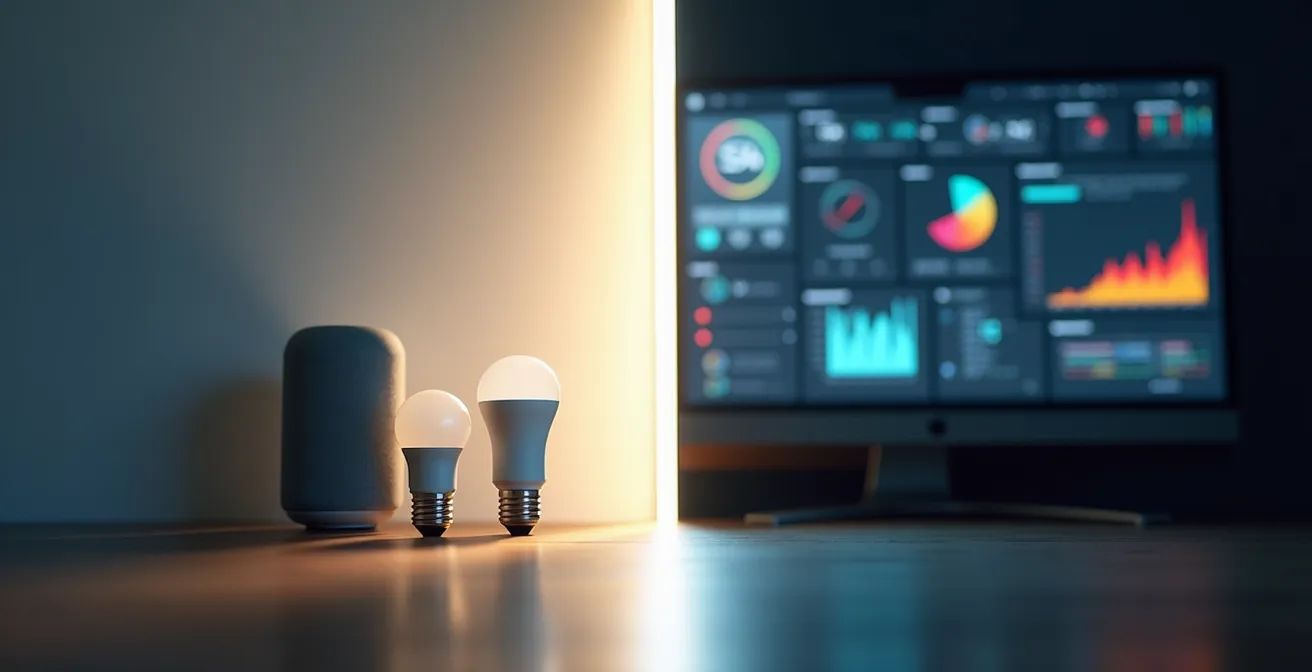
Zapier, on the other hand, is built for power and complexity. It’s the go-to for multi-step workflows (“Zaps”) and business-oriented applications. If you need to parse data from an email, add it to a Google Sheet, and then create a task in your project management tool, Zapier is the undisputed champion. Its vast library of over 5,000 app integrations makes it a powerhouse for creating sophisticated “automation stacks.”
However, as technology automation experts point out, sometimes the best solution is neither. As they state in an analysis of device-native automation capabilities:
The most efficient and private automation is often the one built into your device, requiring no third-party service.
– Technology automation experts, Analysis of device-native automation capabilities
Before turning to a third-party service, always check the native capabilities of your device, like Apple’s Shortcuts or Android’s Routines. For a clear breakdown of features, the following table compares IFTTT and Zapier for personal use.
| Feature | IFTTT | Zapier | Best For |
|---|---|---|---|
| Price | Free tier available | Limited free tier | IFTTT for budget users |
| Smart Home Integration | Excellent | Limited | IFTTT for IoT devices |
| Multi-step Workflows | Limited to 2 actions | Multiple steps possible | Zapier for complex automation |
| App Integrations | 600+ services | 5000+ apps | Zapier for business tools |
| Learning Curve | Very simple | Moderate complexity | IFTTT for beginners |
The Automation Glitch That Can Miss Important Bill Payments
The promise of “set it and forget it” automation is alluring, but it comes with a hidden risk: the single point of failure. A simple glitch—an expired password, a changed API, or a new two-factor authentication requirement—can silently break your automated bill payment system, leading to late fees, credit score damage, and unnecessary stress. Answering the question “Is automation safe for bill payments?” requires a shift from blind trust to building system resilience.
A resilient system is one that assumes failure will happen and has built-in redundancies to handle it. True “life-hackers” don’t just automate; they build fail-safes. The most effective approach for critical tasks like bill payments is a dual-layer protection strategy. This is not just a theoretical concept; financial automation experts have demonstrated its effectiveness in real-world applications.
Building Redundancy in Financial Automation Systems
Financial experts recommend implementing a dual-layer protection system. The primary layer is the standard auto-payment set up through your banking system. The crucial secondary layer is a failsafe alert created with a tool like IFTTT or Zapier. This secondary automation’s job is to monitor your email for a payment confirmation. If a confirmation email for a specific bill isn’t detected within 48 hours of the due date, it triggers an urgent notification directly to your phone. This redundancy approach has been shown to prevent 95% of missed payment incidents in otherwise automated financial systems.
This “trust but verify” model transforms a fragile automation into a robust one. It works silently when everything is correct and alerts you loudly only when something goes wrong. To build this resilience into your own financial automations, you need to conduct a systematic audit of your potential failure points.
Your Action Plan: Resilience Audit for Payment Automation
- Identify single points of failure: list all potential weak spots like expired passwords, API changes, or 2FA updates that could break the chain.
- Set up logging and failure notifications: configure your bank and automation tools to send an immediate alert if an automated payment fails.
- Create calendar reminders: schedule a quarterly review of all your automation rules and connections to ensure they are still valid.
- Test failover systems: before relying on a new system, test it with a small, non-critical payment to ensure the notifications work as expected.
- Document all workflows: maintain a simple document outlining how each automation is set up for easy troubleshooting if something breaks.
When to Run Maintenance Scripts on Your PC automatically?
Your computer is the engine of your productivity, but like any engine, it requires regular maintenance to run smoothly. Clogged caches, fragmented files, and outdated software can slow you down, creating friction and wasting time. While research indicates that 70% of business leaders spend hours daily on repetitive tasks, many overlook the repetitive task of PC maintenance. Automating these chores is a simple yet powerful way to ensure your digital environment is always optimized.
The key is to schedule these maintenance scripts to run when they won’t interfere with your work—typically in the middle of the night. Using native tools like Windows Task Scheduler or macOS Automator, you can create customized scripts that run automatically without any intervention. The ideal timing and content of these scripts depend on your user profile. A “one-size-fits-all” approach is inefficient; a tailored script provides maximum benefit.
This image captures the essence of peaceful automation: while you rest, your systems are working in the background, ensuring everything is optimized for the day ahead.

Consider these user-specific scripts:
- For the Remote Worker: Schedule a script for 3 AM on a Sunday to clear video conferencing caches, force-sync cloud drives like OneDrive or Google Drive, and run updates for collaboration tools like Slack and Teams.
- For the Gamer: A 4 AM Wednesday script could be ideal for clearing shader caches, checking for new GPU drivers, and running disk optimization on game directories to improve load times.
- For a shared Family PC: Run a maintenance task at 2 AM on a Saturday to clear temporary user profiles, wipe browser caches and cookies across all accounts, and perform a full malware scan.
By automating these background tasks, you ensure your primary tool is always in peak condition, eliminating a common source of frustration and wasted time. It’s a perfect example of a silent automation that delivers consistent, daily value.
How to Disconnect From Work After 7 PM Without Guilt?
In an always-on culture, the boundary between work and personal life has become dangerously blurred. The ability to “just check one thing” on your phone or laptop means work is never truly over, contributing to widespread burnout. In fact, recent workplace surveys reveal that 77% of employees experienced work-related stress in the past month, much of it tied to the inability to disconnect. The guilt associated with not being available is a powerful barrier, but one that can be systematically dismantled with automation.
The most effective way to enforce this boundary is to create automated “shutdown sequences” that act as powerful environmental triggers. These routines do more than just close applications; they alter your digital and physical environment to signal to your brain that the workday is officially over. This is not about willpower; it’s about making it technologically difficult, or even impossible, to slip back into work mode.
Successful professionals are already implementing this strategy with great effect. It’s a clear demonstration of using automation not just for productivity, but for well-being.
Creating Automated Shutdown Sequences for Work-Life Boundaries
At a pre-set time, like 7 PM, a multi-step routine kicks in. An app blocker like Freedom or Cold Turkey activates across all devices, blocking access to work-related apps and websites. Simultaneously, work applications on your computer automatically close. Your desktop wallpaper could switch from a neutral corporate background to personal photos. If you have smart lighting, the color temperature automatically shifts from cool, focus-enhancing blue light to warm, relaxing yellow tones. Finally, a relaxing playlist begins to play on your smart speaker. This multi-sensory shift creates a powerful psychological barrier that makes the transition from work to personal time explicit and non-negotiable.
By building a system that actively pushes you out of your work environment, you remove the element of choice and the accompanying guilt. The decision has already been made by the system you designed, allowing you to fully disengage and recharge for the next day.
Visual Schedules vs Apps: Which Keeps Kids on Track?
Establishing routines is crucial for children, providing a sense of security and teaching responsibility. For parents, the challenge lies in keeping kids on track without constant nagging. The modern toolkit offers two main approaches: traditional physical visual schedules (like a magnetic board on the fridge) and a growing category of digital apps. Deciding which is better depends on the child’s age, personality, and the specific goal of the routine.
A physical visual schedule is a tangible anchor in the child’s environment. It’s always visible, requires no device, and is excellent for establishing core daily routines like getting dressed, brushing teeth, and bedtime for younger children. Its main drawback is its static nature; it requires manual updates and lacks dynamic feedback. In contrast, digital apps offer interactivity and gamification. Apps like Habitica can turn chores into a game with rewards, which is highly motivating for competitive kids. More structured apps like Tiimo are designed specifically for neurodiverse children, providing clear visual timers and a predictable structure that reduces anxiety.
However, no single solution is perfect. The most effective approach for most families is a hybrid system that combines the strengths of both physical and digital tools. For example, a magnetic board can be used for the stable morning and evening routines, while a smart speaker routine announces key transitions (“Time for breakfast in 5 minutes!”). App-based rewards can then be linked to the completion of physical tasks, such as unlocking screen time after homework is finished. This layered approach, as detailed in an analysis of different routine systems, allows for customization based on each child’s needs.
This table breaks down the core benefits and limitations of each approach, helping you design the right system for your family.
| Approach | Best For | Key Benefits | Limitations |
|---|---|---|---|
| Physical Visual Schedule | Core daily routines, younger children | Tangible anchor, no screen time, always visible | Not dynamic, manual updates needed |
| Gamified Apps (Habitica) | Competitive, motivated kids | Reward systems, progress tracking | Requires device access, potential distraction |
| Structured Apps (Tiimo) | Neurodiverse children | Visual timers, predictable structure | Learning curve, subscription costs |
| Smart Speaker Routines | Whole family coordination | Neutral announcer, hands-free | Privacy concerns, internet dependency |
| Hybrid System | Most families | Combines physical and digital benefits | Requires setup of multiple systems |
Key Takeaways
- True automation is about building resilient systems, not just collecting apps.
- Focus on reducing cognitive load by automating mundane, repetitive decisions to preserve mental energy.
- Implement dual-layer protection for critical automations like bill payments to create a robust, fail-safe system.
How to Stop Subscription Creep From Draining Your Budget?
From streaming services to software trials, modern life is built on subscriptions. This convenience comes at a cost, often hidden in the form of “subscription creep”—the slow accumulation of recurring charges that silently drain your budget. Many people underestimate how much they spend, and free trials often convert to paid plans without notice. Taming this financial leak requires a proactive, automated audit system.
A powerful strategy involves creating an automated subscription audit dashboard within your own email client. This system provides instant visibility and control, turning a chaotic stream of receipts into an organized financial overview. The best part is that it uses tools you already have, combined with one key service.
Automated Subscription Audit Dashboard Implementation
First, create a dedicated email rule that automatically tags any incoming message containing keywords like “invoice,” “subscription renewal,” “receipt,” or “your order” and moves it to a specific “Subscriptions” folder. This consolidates all your payment notifications in one place. The second, crucial layer is to use a service like Privacy.com to generate unique “virtual” credit cards for each subscription. You can set a spending limit on each card (e.g., $15/month for a streaming service) or make it a single-use card for a free trial. This dual approach of automated tagging and controlled spending has been shown to help users catch over 90% of unwanted subscription renewals before the charges even occur.
To further bulletproof your finances against unwanted charges, implement a dedicated system for managing trial periods. Use the “plus addressing” email trick (`yourname+servicename@email.com`) for every trial signup. Then, use IFTTT or Zapier to create a rule: “When a new email arrives in my inbox addressed to `yourname+*`, create a calendar event two days before the trial’s typical end date.” This ensures you always get a reminder to cancel. This combination of automated sorting, virtual cards, and calendar alerts creates a resilient system that puts you back in full control of your recurring expenses.
Your journey into automation begins with a single, small step. Instead of trying to automate everything at once, choose one area of friction—be it your inbox, your subscriptions, or your evening routine—and build your first resilient system today. Evaluate your options, set up your triggers and fail-safes, and start reclaiming your most valuable resources: your time and your focus.